How do I unlink my social networks from Dailyfy?

ÉQ

3 min read0 views

Revoking a permission (called a token) implies that you remove all permissions previously granted to Dailyfy, which are essential for the optimal functioning of planning and statistical analysis in particular.

When you delete an account from Dailyfy, you will also need to follow these steps to unlink your app to your social network as well.

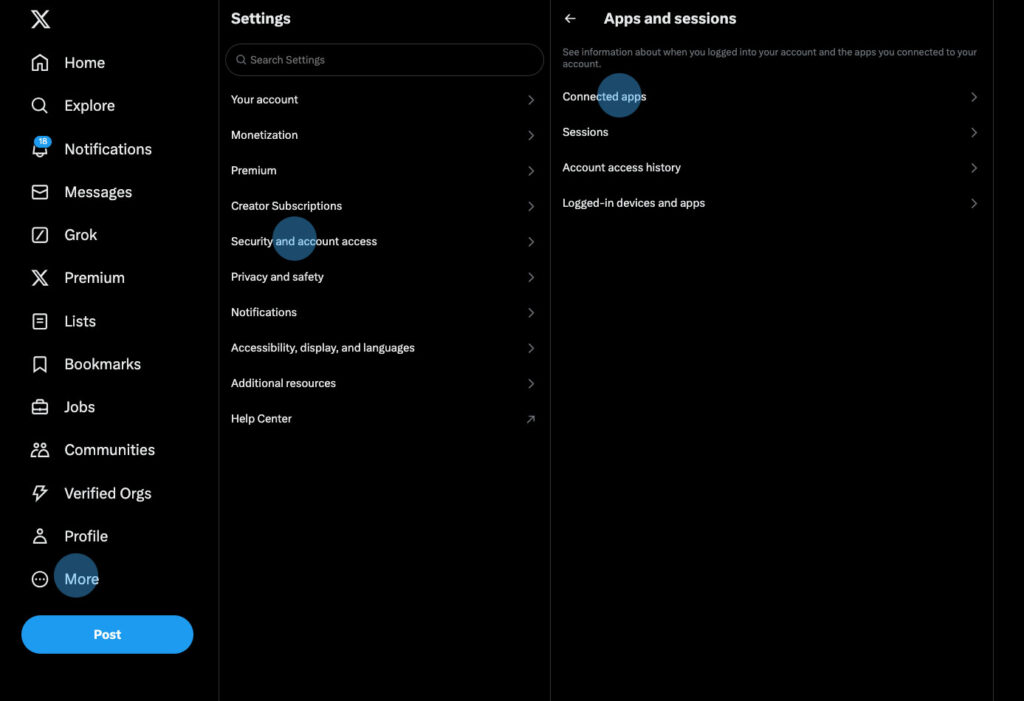
Revoke access to an X account

Délier une application d'un compte X
  1. Go to your relevant X profile (https://x.com/login/);
  2. Select “More” on the left, then “Settings & Privacy”;
  3. On the right, choose “Security and Account Access”;
  4. Then, opt for “Apps and sessions” here ;
  5. then on “Connected applications”;
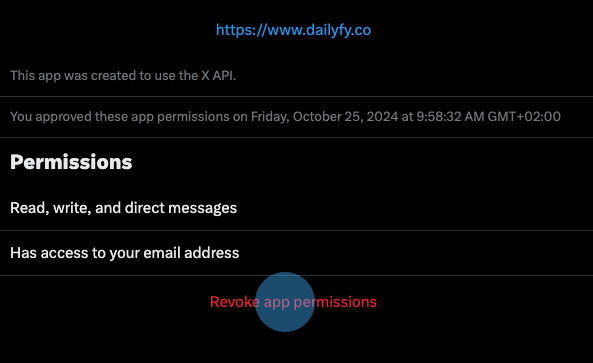
  6. Finally, select Dailyfy, and “Revoke Access”.
Revoke access to a Facebook page or Instagram account

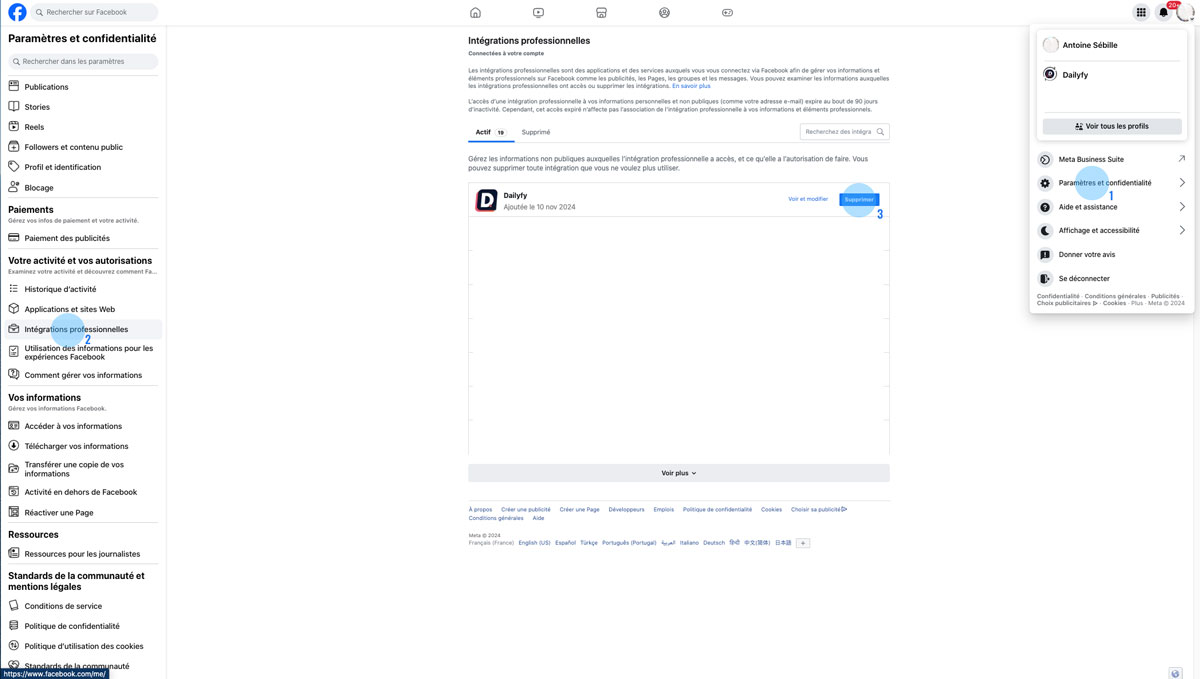
  1. Log in to the personal Facebook account being the administrator of the Instagram page/profile in question;
  2. Click on your avatar (very important, you must not be logged in with a page) at the top right, then on “Settings and privacy”;
  3. Select “Settings”;
  4. In the left menu, scroll down to “Professional Integrations” or here 👈;
  5. Finally, click on the “Delete” button on the right of Dailyfy.

Revoke access to a LinkedIn page

To unlink your LinkedIn account from our platform, here’s how to do it:
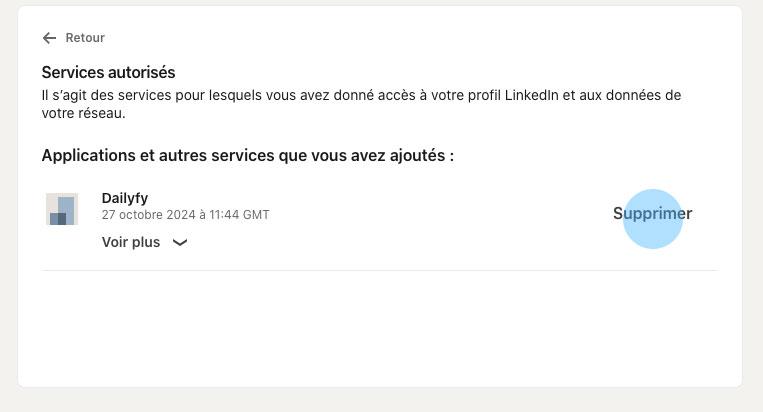
  1. Log in to the personal LinkedIn account being the administrator of the page in question here ;
  2. Click on “You” at the top, then “Settings & Privacy”;
  3. Click on “Account” (tab on the left), then “Partners and services” via this Linkedin page ;
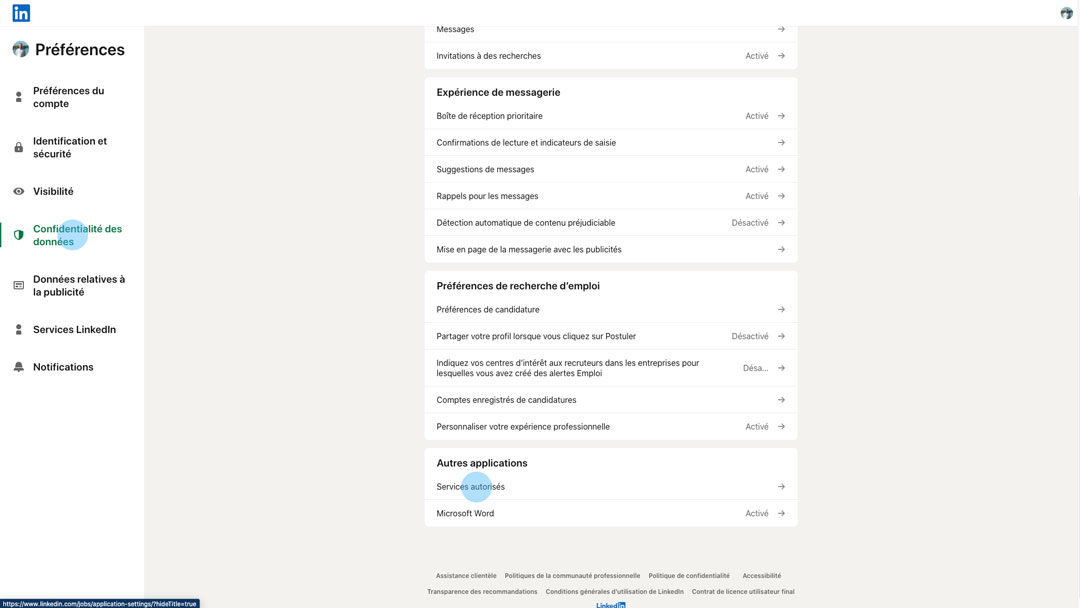
  4. Finally, click on “Authorized Services” and “Remove” on the right of Dailyfy.delete connected app Linkedin account

Revoke access to a Google My Business account

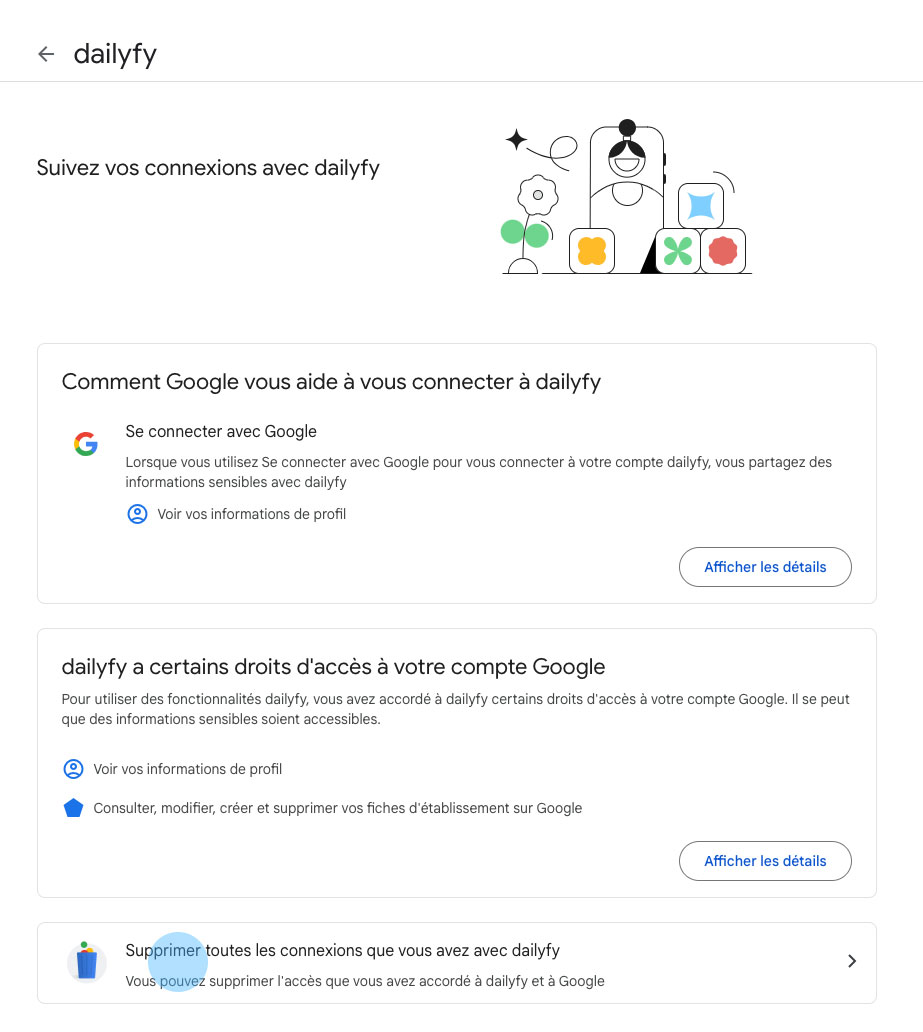
To revoke a third-party application like Dailyfy from your Google account, it’s very simple:
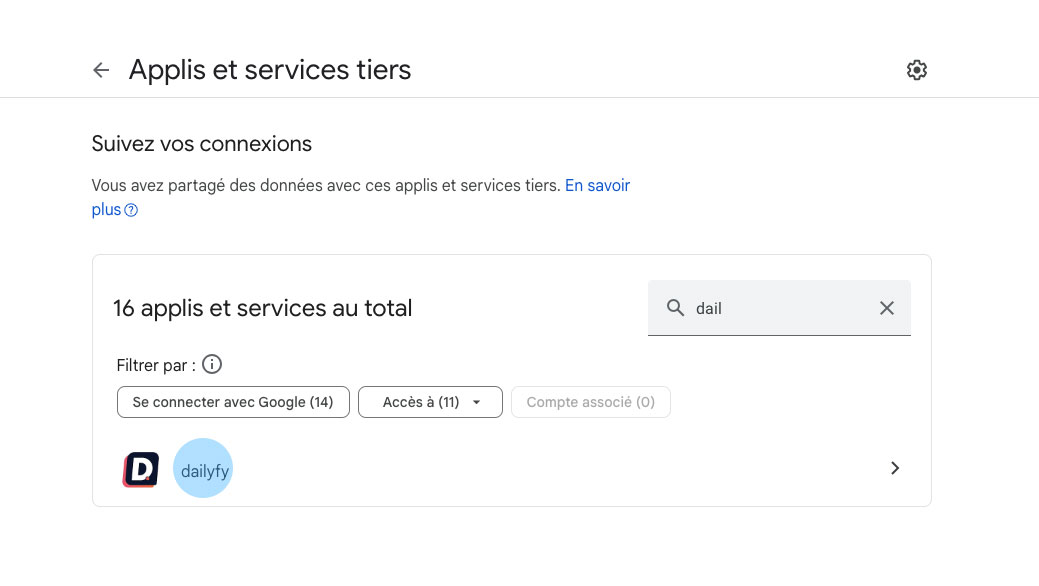
  1. Log in to the Google account you use on Dailyfy.
  2. Go to the third-party connections page of your Google account here (the easiest)
  3. Look for our Dailyfy app in the list.
  4. Select the Dailyfy app.
  5. Click on “Delete all the connections you have with dailyfy”.
Revoke access to a Tiktok account

To view and revoke the permissions of a third-party app like Dailyfy, simply follow these steps:

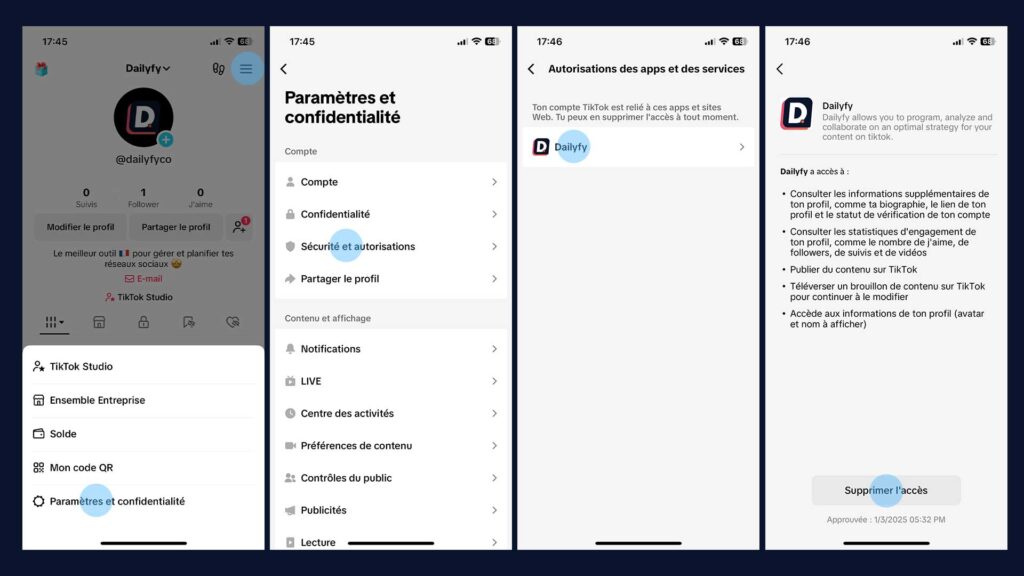
  1. Open the TikTok app and tap “Profile” at the bottom of the screen.
  2. Press the Menu ☰ button in the top right.
  3. Select “Settings & Privacy.”
  4. Choose “Security”.
  5. “Manage app permissions” button.
  6. Select the Dailyfy app. You will then be able to:
    • View the permissions granted (e.g. access to your profile information).
    • Tap “Remove Access” to revoke all permissions of the app.
Délier Dailyfy à Tiktok

Revoke access to a Pinterest account

To unlink third-party apps on Pinterest like Dailyfy, you need to use a web browser and not the mobile app. Follow these steps:

  1. Log in to your Pinterest account from your computer.
  2. Click on the chevron icon down in the top right.
  3. Select “Settings”.
  4. Click on “Security” in the left menu.
  5. Under “App login credentials,” click “Revoke Access” next to the Dailyfy app. More information, via this Pinterest page.

Was this article helpful?

Support Dailyfy

Still need help?

Our team is here when the documentation does not answer your question.

Send a message