
The mobile app provides access to the active Dailyspace library and syncs the same inspirations as the web version.
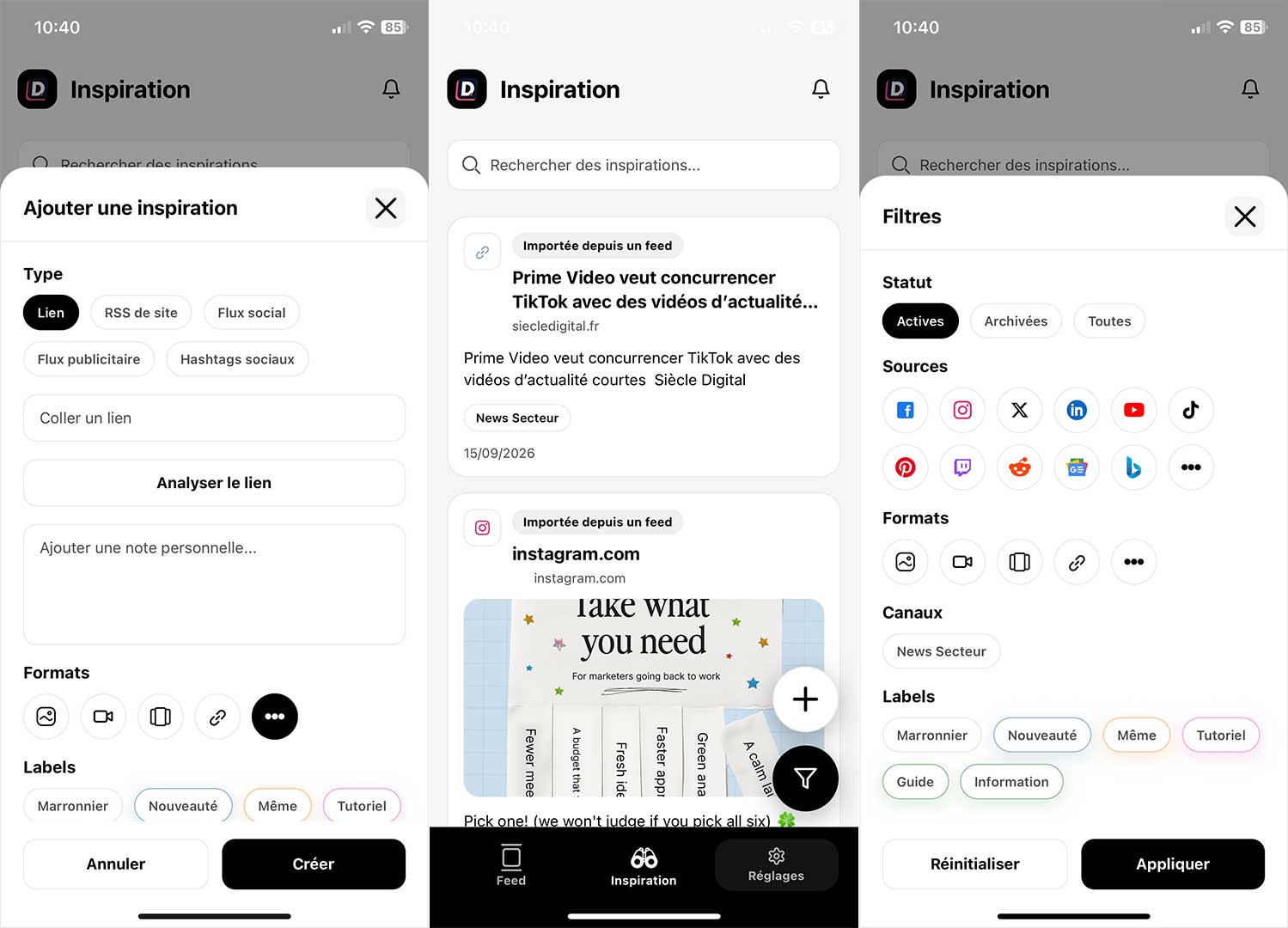
Available actions
- Search for an inspiration.
- Filter by source, format, list, label, and status.
- Scroll through the library and pull down to refresh.
- Open the detail and the original link.
- Add a link, an RSS feed, a social feed, an ad feed, or a hashtag.
- Edit the link, note, format, labels, and lists.
- Archive, unarchive, or delete.
Differences with the web
| Action | Mobile | Web |
|---|---|---|
| Filter by period | Not available | Available |
| LinkedIn page search | URN manually entered | Guided search and selection |
| Facebook/Instagram Page | Reference manually entered | Assisted search/selection |
| Meta advertiser | Numeric ID + 2-letter country code | Advertiser search + market choice |
| Full management of lists and feeds | Prefer using the web | Available in Settings |
Tips
- Check the active Dailyspace before any creation or deletion.
- For a complex feed setup, start on the web and then use mobile to view and categorize.
- If a video integration is heavy, open the original link in the platform app.