






Magic Daily: an AI assistant for your content creation

ÉQ

4 min read0 views

To help you write your catchphrases, we’ve developed MagicDaily IA. An artificial intelligence specially designed for your brand and the profession of community managers.

With MagicDaily, you can write a teaser, rephrase an idea, lengthen your text, summarize your teaser, correct, translate or add relevant hashtags.

Before using our AI

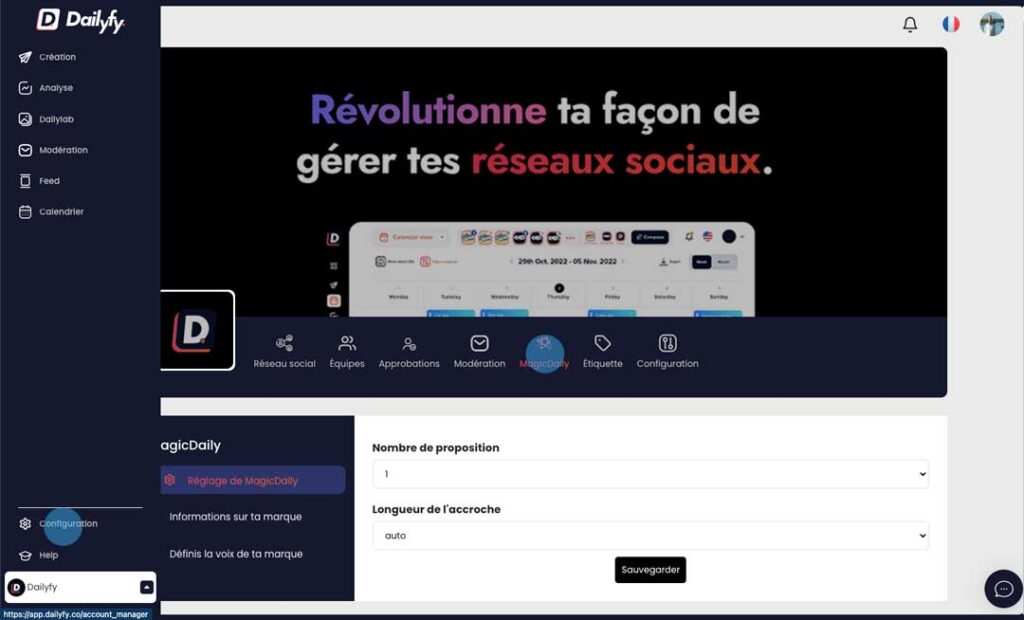
Before using MagicDaily for the first time, we recommend that you recommend that you configure. To do this, go to your Dailyspace configuration, then MagicDaily.

You’ll be able to set MagicDaily parameters, add context to the AI or define your brand’s voice.

Configuration magicDaily

What can MagicDaily AI do for the editorial team?

There are several features to help you write a post. Before you start, you need to select the social networks for your next communication.

Writing teasers

Based on your instructions, you can ask him to create a specific hook for your next post.

Rédiger accroche IA

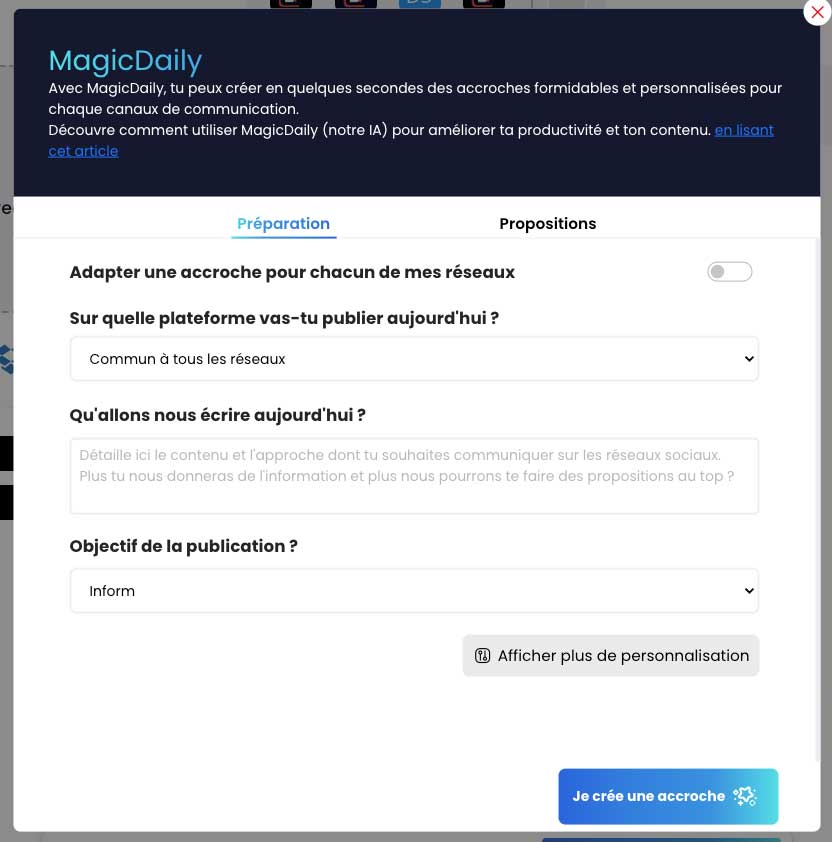
Tailor a tagline for each platform with AI

Adapter une accroche pour chaque réseaux sociaux avec l'IA

You have two options with MagicDaily. The first is to adapt a tagline for each of your social networks.

Depending on the social networks you’ve chosen, the AI will write you a specific tagline for each platform, respecting the codes and your instructions.

For each platform, you’ll have a different tagline talking about the same subject/theme.

Choose to write a tagline according to a platform or common to all networks

Sur quelle plateforme

If you haven’t selected the first option, you can then ask the AI to write a tagline specific to one social network or common to all platforms.

Adds instructions to AI

consignes IA prompt

Here you can add instructions on the theme or topic to be covered in this post. We recommend that you add as much information as possible to your post.

What is the purpose of the publication

Here, we ask you for the purpose of the publication. You have two options:

  • Promote a product, a service… (more commercial)
  • Inform on a subject.

Show more customizations

You can also personalize your content by re-displaying the information you’ve already set up in MagicDaily.

If you modify items in this section, they will not be saved in your DailySpace.

You can add additional information or links to add a call to action (CTA) to your teaser.

Hook results

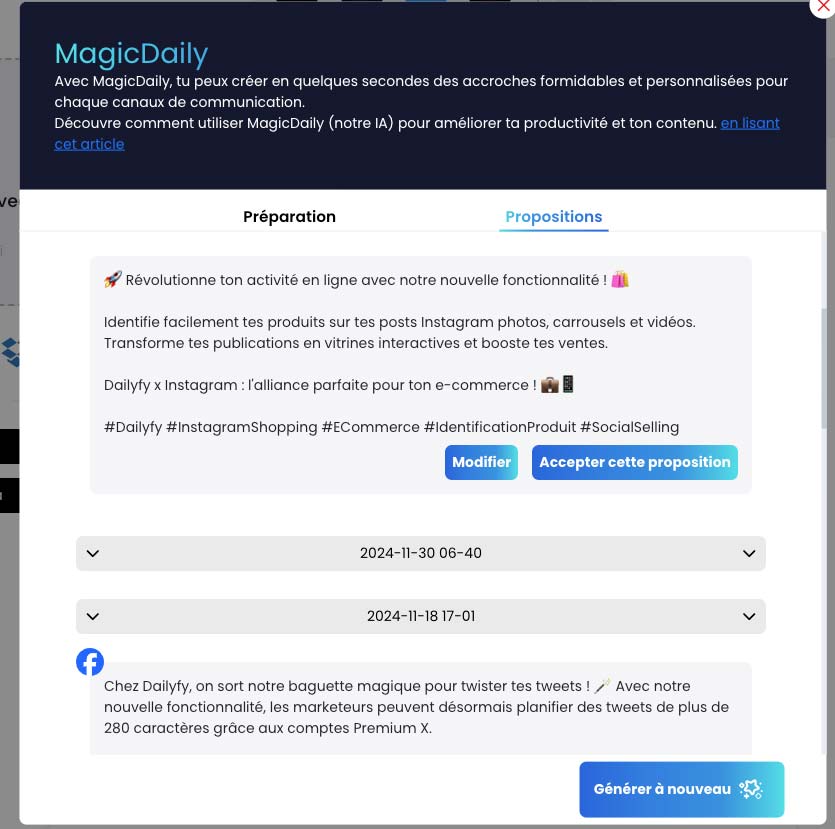
Once you’ve set up your editorial information, you can click on the button in the bottom right-hand corner “I’m creating a teaser” to access the various proposals.

You can then modify the teaser or accept it.

If you accept the proposal, it will automatically be added to your teaser.

You can also generate new proposals.

Résultat MagicDaily rédaction

You’ll have a history of your previous proposals.

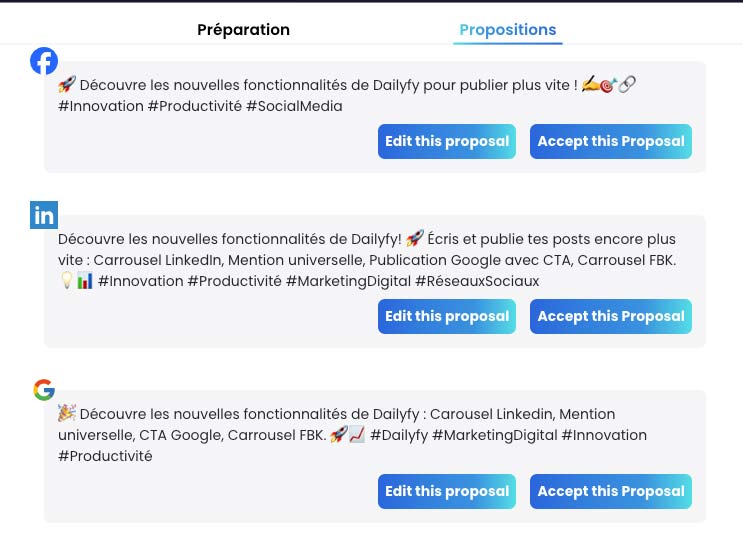
When you choose to customize the content for each of your selected networks, you’ll get the result as follows ⬇️

rédaction des réseaux sociaux selon la plateforme

Rewriting my tagline

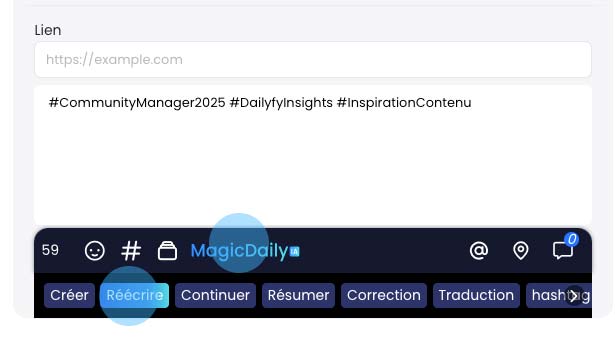
MagicDaily also lets you rewrite your content according to new instructions. To do this, click on MagicDaily and then “Rewrite”.

Réecriture IA

Based on the text already added and your new instructions, the AI will suggest one or more proposals (depending on your configuration).

All you have to do is accept this proposal to update your teaser in the editor.

Continue/Extend my teaser

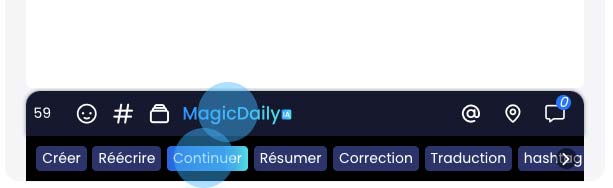
Our “Continue” feature will suggest a new, longer teaser based on the existing text.

Just click on MagicDaily and then on “Continue”.

You’ll automatically receive a proposal that you can modify, regenerate or accept.

Summarize my text

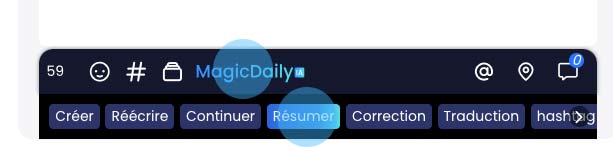
“Summarize” will give you a new, shorter teaser based on the existing text.

Just click on MagicDaily and then on “Summarize”.

You’ll automatically receive a proposal that you can modify, regenerate or accept.

résumer texte avec IA

Correct your catchphrase

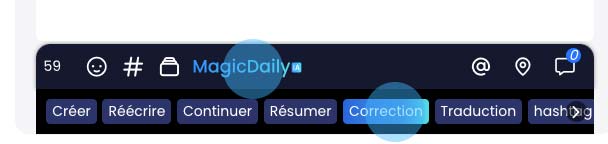
To correct your hook with the AI, simply click on MagicDaily and then on “Correction”.

You’ll automatically receive a proposal with your corrected text. Once accepted, it will replace the original version with the new one proposed by our MagicDaily AI.

correction-accroche-ia

Translate your text with MagicDaily IA

MagicDaily lets you translate your text for your international community.

To simplify this process, you have several options that you can configure directly in your DailySpace. You can then modify the settings for each post.

To translate, click on MagicDaily and then on “Translation”.

traduction IA accroche

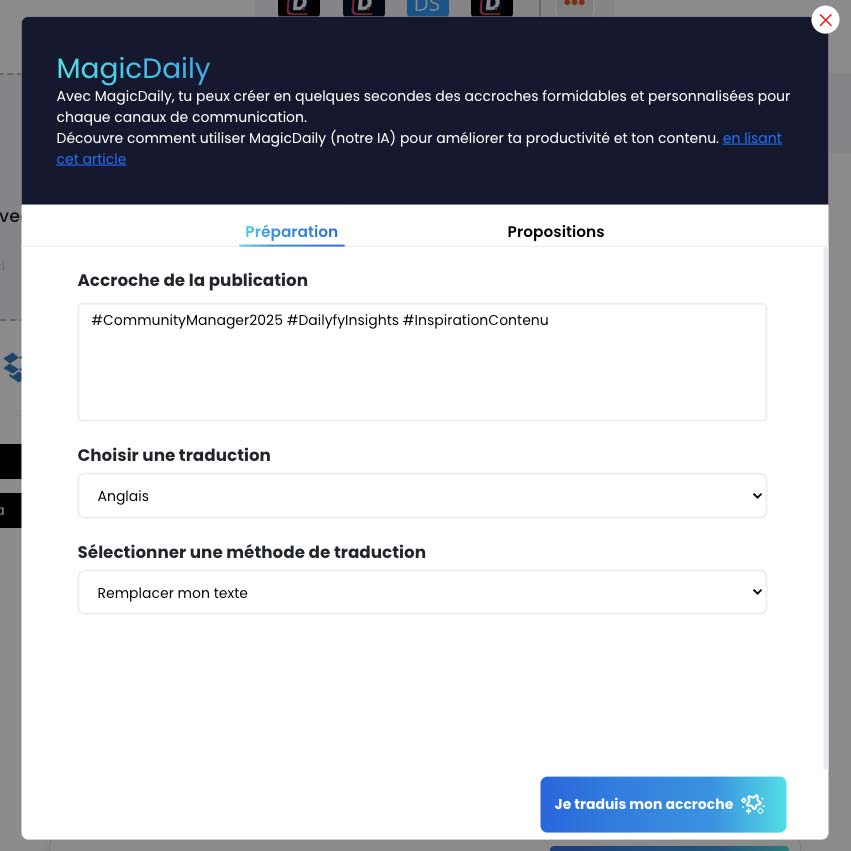
Then you can configure your translation.

You can choose your translation language. We accept all major world languages.

configuration magicDaily IA pour traduction accroche

Finally, you can select how the translation will be displayed in the teaser.

You have 3 options:

  • Replace translation with actual text
  • Add the translation below your teaser with a language flag emoji to separate the two versions.
  • Add the translation below your text with an element (to be set in the MagicDaily configuration of your DailySpace) to separate the two versions.

Was this article helpful?

Support Dailyfy

Still need help?

Our team is here when the documentation does not answer your question.

Send a message