

What are the different collaboration options in a Dailyspace?
Collaboration is an essential feature on Dailyfy because we believe that there is strength in numbers! If we can save time for the whole team, it’s even better:)
You have several possibilities to configure your workspace according to your management or processes.
Configure your approval process.
Approval options
To manage your approval process, go to the “Approval” section in the settings.
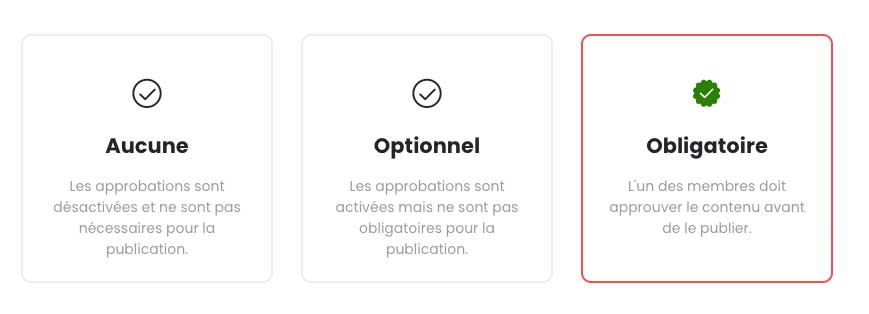
With Dailyfy, you have three approval options to ensure smooth collaboration within your team:
- None: the best option if you’re working solo—you’re the boss. Simple as that. The approval process is disabled.
- Optional: ideal for teams that want to enhance collaboration while staying flexible. Posts can be scheduled and published with or without approval.
- Required: as the name suggests, posts must be approved before publication. You can select the members who are required to approve content.
Choose who can approve your content.
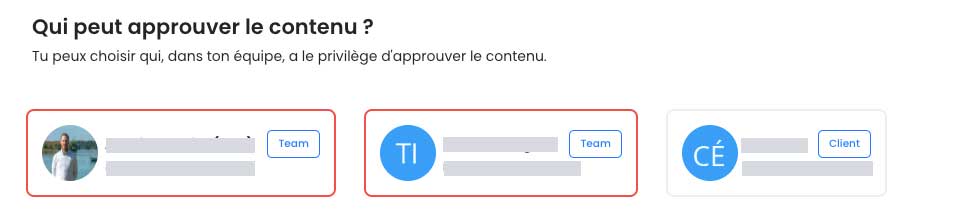
On Dailyfy, you can choose which members of your DailySpace are allowed to approve or reject content.
To select the relevant members, simply click on their profile: a colored border indicates that the member is active for approval.
Add a hierarchy to your approval process.
This feature allows companies and teams with a specific editorial workflow to increase productivity while maintaining a smooth content approval process.
To support this, we have developed two ways to structure post approvals:
- based on a defined order of DailySpace members
- based on the order of approval groups
Approval based on the order of team members
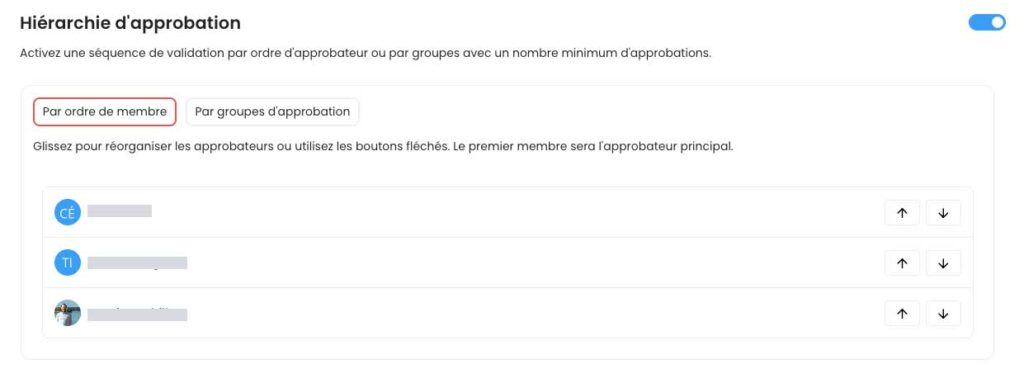
With this hierarchical approval method, you assign a validation order to your team members. As soon as a user approves the content, it is automatically passed on to the next person, and so on until final approval.
You can change the order of the process at any time using the up and down arrows.
Approval by approval groups
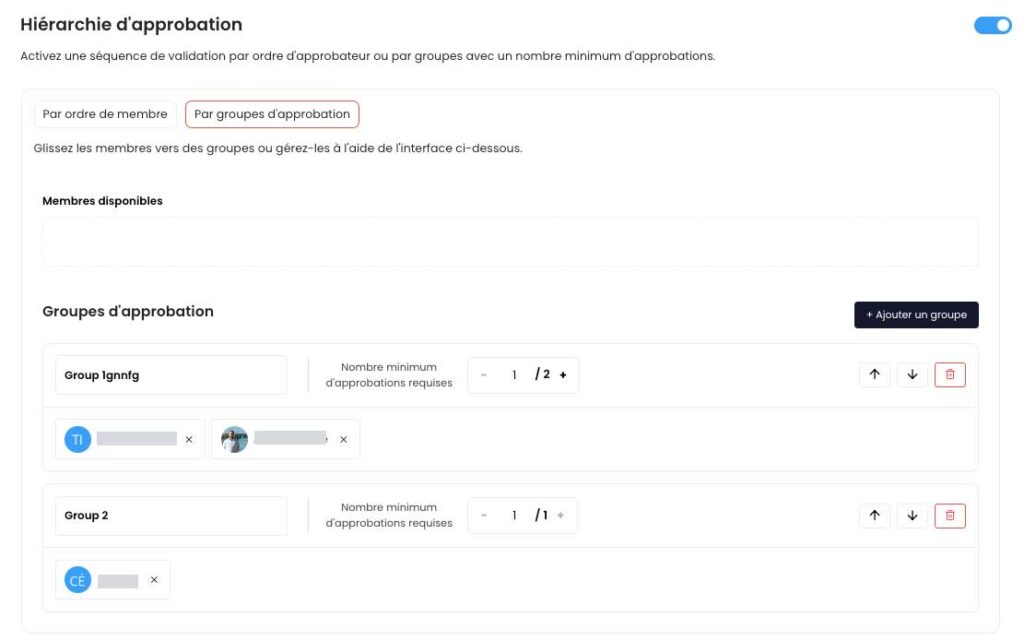
This method is designed for larger marketing teams and companies. It allows you to set up approvals by department.
Create approval groups and assign members to each one. To add a member, create a group and drag their label into it.
Then, define the number of members required to approve a group before moving to the next one.
If only one person is required in a group, their approval is enough to validate the entire group. The approval request is then automatically sent to the next group.
You can change the validation order of the groups using the up and down arrows.
Finally, you can easily reorganize members within a group using drag and drop.
Choose when to start the approval process
With Dailyfy, you can choose when the content approval process starts. To do this, you have two options:
- the process starts as soon as content is created by a member: a notification is immediately sent to the next approver
- the process starts when the content creator approves their post
If the “Automatic validation on creation or modification” option is enabled, the process follows the first option.

Other useful settings to configure.
Finally, in the settings section, you can:
- automatically lock content once it has been approved so that no one can modify it
- choose to automatically publish new content internally (visible only to your team; clients won’t see it). Especially useful for agencies 😉
What notifications are related to approvals?
Approval notifications allow you to track each step of the validation process. We send both an email and a notification in the notification center (the “Approval” tab).
You may receive notifications when:
- content is waiting for your approval
- content has been rejected
- the process is interrupted (only if you are upstream of the rejection)
- content has not been published because not all required approvers validated it (only when approval is set as mandatory)
These notifications help you stay informed and take action quickly at every step.
For each approved content, you will also receive a notification in the notification center (the “Approval” tab).


