
You can connect a Telegram channel to Dailyfy to schedule and publish your content directly from your Dailyspace.
The connection is made with @DailyfyBot, which you must add as an administrator of your Telegram channel.
1. Access your account management on Dailyfy
- Open your Dailyspace.
- Click on Configuration, at the bottom left of the menu.
- Go to Social networks, then Account management.
- Select the Telegram logo.
- Click on “Add a Telegram channel”.
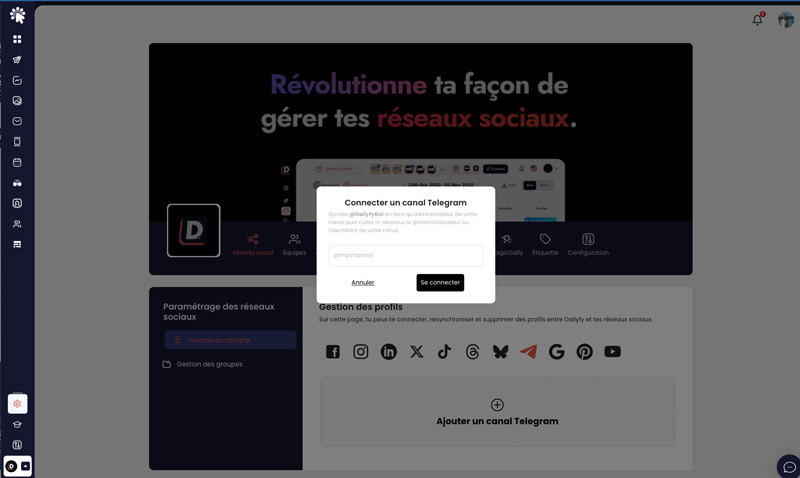
2. Add @DailyfyBot to your Telegram channel
From Telegram:
- Open the channel you want to connect to Dailyfy.
- Access your channel settings.
- Open the Administrators management.
- Add @DailyfyBot as an administrator of your channel.
- Grant the bot the necessary permissions to allow it to publish in your channel.
3. Enter your channel in Dailyfy
Once @DailyfyBot has been added as an administrator, go back to Dailyfy.
Then fill in :
- the @username of your Telegram channel ;
- or the channel ID.
Then validate the connection.
That’s it! Your Telegram channel is now connected to Dailyfy. You can now schedule and publish your Telegram content directly from your Dailyspace.