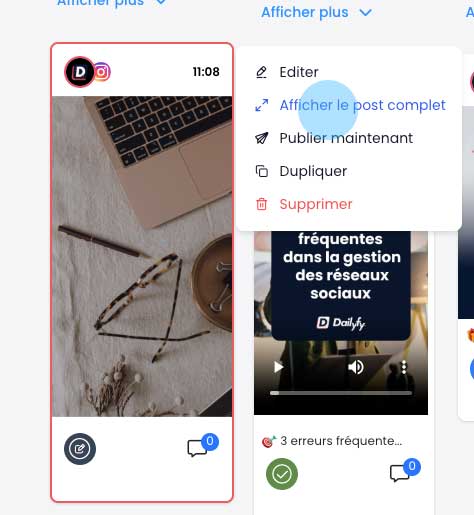
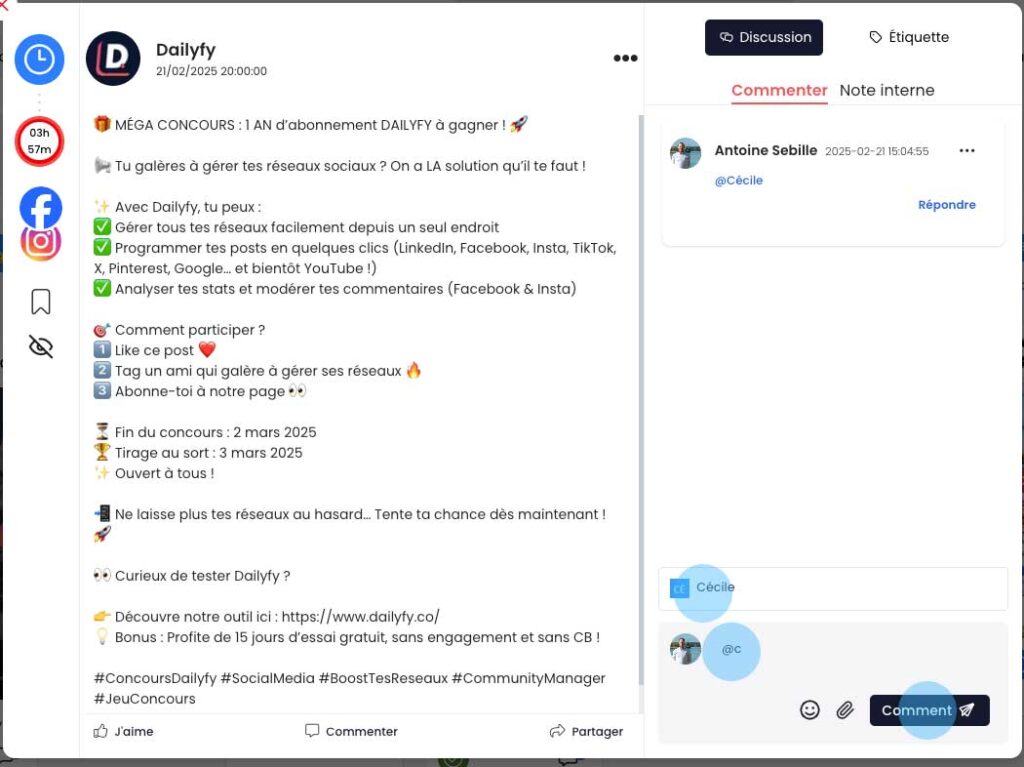
How do I assign a colleague to a piece of content?ÉQÉquipe DailyfyUpdated on February 21, 20251 min read0 viewsArticle contents The easiest way to assign a colleague to a piece of content is to mention it in a post discussion. Assign a member using the calendar view To assign a member from the calendar view, follow these steps: Locates the post concerned. Move your mouse over this post. Click on “View full post”. On the right, add a comment, mentioning your colleague(s) with an “@”. Click on “Comment” to validate. Assigning a member using the feed view To assign a member from the calendar view, follow these steps: Locates the post concerned. On the right, add a comment, mentioning your colleague(s) with an “@”. Click on “Comment” to validate. Was this article helpful?YesNot really