
How do I invite collaborators on an Instagram post?

ÉQ

1 min read0 views

Instagram Collab posts are a great way to increase the visibility and engagement of your profile. With just a few clicks, you can invite up to three collaborators to join you in creating engaging Instagram posts or stories.

  1. Access our planning tool
  2. Select an Instagram account
  3. Write your post
  4. Click on the icon – invite collaborators – in our tool dock collaboration post Instagram
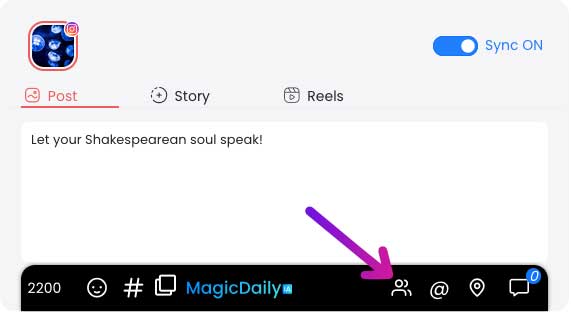
  5. Search for the profiles you’d like to collaborate with (you can invite up to 3, and only public accounts).
  6. Validate the collaboration by clicking on the “Send my collaboration” button.
  7. Plan or publish your post
Once they’ve accepted your invitation on Instagram, your post will be shared with their followers and they’ll be recognized as co-authors. Your collabs may be refused by the account. Currently, collaborators can only be added for posts and Reels. Stories are not yet compatible.

Was this article helpful?

Support Dailyfy

Still need help?

Our team is here when the documentation does not answer your question.

Send a message