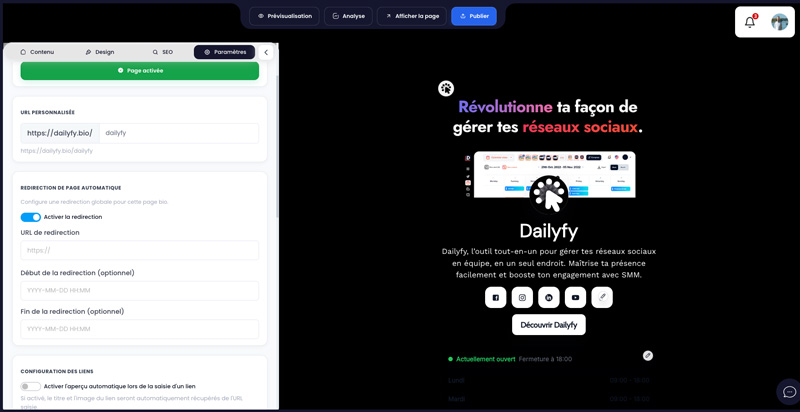
Global redirect replaces the Bio display with opening the indicated URL. You can enable it immediately or set a start date and an end date. When active, Dailyfy attempts to record a view and a redirect event before sending the visitor to the destination.
- In Settings, open Automatic page Redirection.
- Enable the redirect and enter a full, valid URL.
- Add a start date and/or end date if necessary.
- Save and publish.
- Test the page in an incognito window, then disable the redirect at the end of the campaign if no end date has been set.