

How do I publish an Instagram story?
Instagram stories are a great way to regularly reactivate your community and relay your posts.
Stories on Instagram are only active for 24 hours. After that, you can always show it to your community through Headline Stories.
With Dailyfy, you can easily publish and schedule a story for your Insta and FBK account.
Due to Instagram API limitations, users cannot add text, stickers, music, locations and other features. To publish stories, you must have a professional Instagram account, not a personal one.
Before preparing your story
Due to Instagram’s API limitation, we are limited to these restrictions:
- They can only be published in one medium at a time. You can’t post a video and a photo in the same story.
-
Adding text effects or stickers to stories is not available
-
Stories must comply with Instagram’s community guidelines.
- The video used must be shorter than 90 sec.
- You can’t use polls or questions on videos.
- You can’t use links
- You can’t use hashtags
- You can’t use
Instagram’s recommended formats for stories :
It must always respect a 09:16 ratio with a minimum width of 500px.
Recommended image size : 1080 x 1920
For videos, the maximum length is 90 seconds and the accepted video file types are .MP4, .MOV or .GIF.
File size must be less than 100MB
Creating an Instagram story with Dailyfy
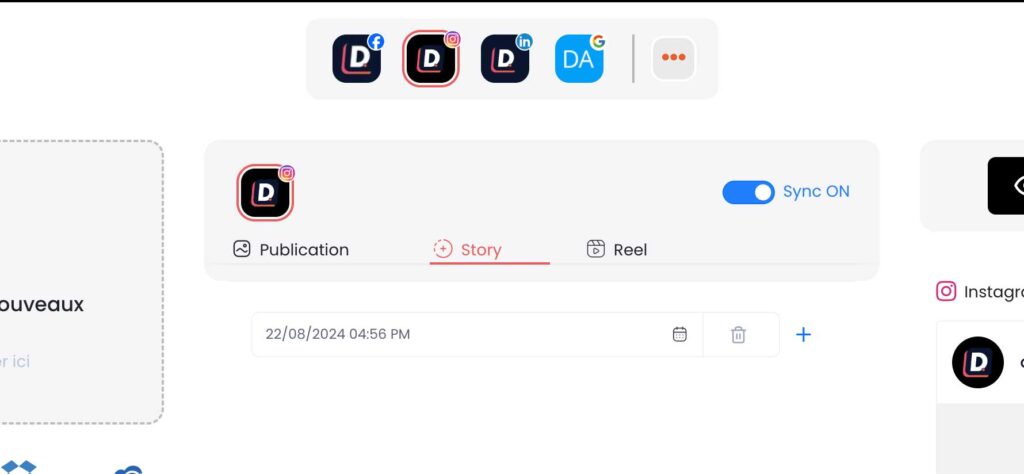
You can create Instagram stories from the composition page or from the Feed in the “story” section.
From the dialer
From feed
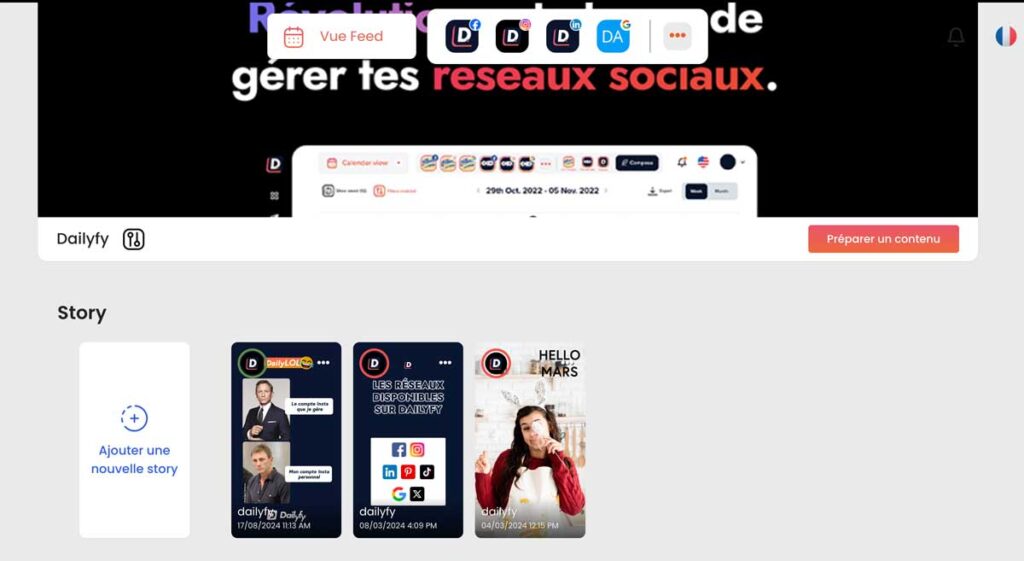
Story content
To create a story, you can add an image and a video.
To help you with the creative part, you can use our Adobe Express and Canva integration.
The stages
- Go to the planning page
- Select your Instagram profile
- Choose Story in the post type.
- Upload your media or search for it in your dailylab (respecting the recos developed above) – left side of the composer.
- Program or publish your story


