How do I invite collaborators on an Instagram post?
Estimated reading: 2 minutes
399 views
Instagram Collab posts are a great way to increase the visibility and engagement of your profile. With just a few clicks, you can invite up to three collaborators to join you in creating engaging Instagram posts or stories.
- Access our planning tool
- Select an Instagram account
- Write your post
- Click on the icon – invite collaborators – in our tool dock
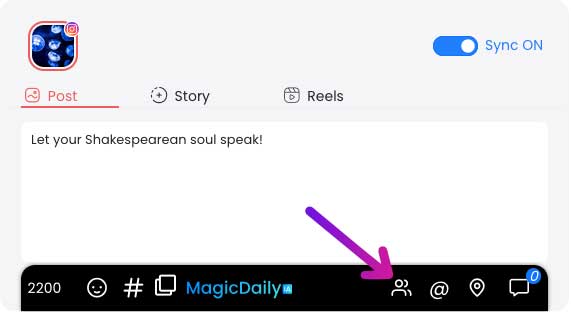
- Search for the profiles you’d like to collaborate with (you can invite up to 3, and only public accounts).
- Validate the collaboration by clicking on the “Send my collaboration” button.
- Plan or publish your post
Important
Instagram collab is only possible with public accounts. You can't collaborate on Stories yet.
The number of collaborators per post is currently limited to 3 accounts.
